AI Passport - Visa & ID photos1.1.8
Publisher Description
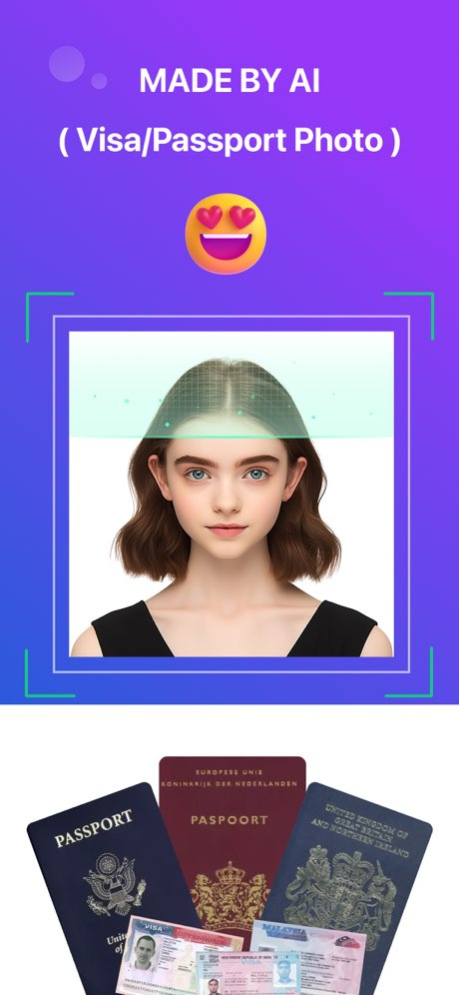


AI- Passport is a passport photo maker online app - it is an advanced AI enhanced passport photo creator that automatically generates biometric passport photo templates for various types of documents from uploaded images. Our passport photo editor will work as US passport photo background remover to make your passport photo background white. AI-Passport recognizes the required biometric photo size (2x2 inches, 4x6 cm, 35x45 mm, etc.) at Walmart, Walgreens, Rite Aid, CVS, Costco, Target or AAA). Passport photo crop tool / ID card photo zoom tool will resize biometric photo to desired size. Take ID photo, US passport photo, Chinese visa photo, resume photo or other ID photo in just 3 seconds!
AI-Passport offers digital biometric photos and printed photos. We offer passport photo prints, you can download the US passport photo template and print your passport photo instantly at any photo booth. Rite Aid, Walmart, Walgreens, Costco, Target, CVS, AAA and even FedEx and UPS all offer photo copying services. You can take an ID photo and print it at a store in 3 seconds.
There are many words to describe our app: ID Photo Booth, Passport Photo ID Maker, US Passport Editor, Biometric Passport Photo App, Passport Photo Editor App, ID Photo Studio, Visa Photo Editor, Passport Photo Maker, ID Photo Tool, Resume Photo Maker...
Try our app and you'll find that all of these apply!
Version History fix bug 1.1.8 03/25/2024 fix bug 1.1.7 11/24/2023 Optimize app startup speed and performance. 1.1.6 11/23/2023 Optimize app startup speed and performance. 1.1.5 11/20/2023 Optimize app startup speed and performance. 1.1.4 11/08/2023 fix bug 1.1.3 10/23/2023 Fix bugs and improve user experience 1.1.2 10/11/2023 Fixed some bugs, better experience. v1.1.1 08/03/2023 Users can now view historical images. 1.1.0 08/02/2023 Optimized image processing function, Ai has become smarter. 1.0.9 07/28/2023 Fixed some known bugs 1.0.8 07/20/2023 Fixed some known bugs 1.0.7 07/14/2023 Fix known bugs and optimize user experience 1.0.6 07/10/2023 Improve the speed of image processing. v1.0.5 06/30/2023 Fix bugs and improve user experience 1.0.4 06/28/2023 1) Fix the bug that multiple clicks will trigger multiple processes when uploading an album
2) Fix the bug that the photo processing freeze failed
3)Optimize the performance of switching country list 1.0.3 06/28/2023 1)Fix the bug that the data cannot be obtained when entering the app for the first time;
2)Update documents for more countries and regions;
3)Fix known bugs and improve user experience; 1.0.2 06/25/2023 1)Add the description of the time, price and rules of the subscription plan;
2)Modified the EULA agreement(https://res.photosaid.com/Terms.html)
3)Add a membership service agreement, detailing the rules of the subscription plan in the app.(https://res.photosaid.com/membershipservice.html) 1.0.1 06/21/2023 1.0 06/02/2023
About AI Passport - Visa & ID photos
The company that develops AI Passport - Visa & ID photos is DREAMMOBI PTE. LTD.. The latest version released by its developer is 1.1.8.
To install AI Passport - Visa & ID photos on your iOS device, just click the green Continue To App button above to start the installation process. The app is listed on our website since 2026-10-07 and was downloaded 10 times. We have already checked if the download link is safe, however for your own protection we recommend that you scan the downloaded app with your antivirus. Your antivirus may detect the AI Passport - Visa & ID photos as malware if the download link is broken.
How to install AI Passport - Visa & ID photos on your iOS device:
- Click on the Continue To App button on our website. This will redirect you to the App Store.
- Once the AI Passport - Visa & ID photos is shown in the iTunes listing of your iOS device, you can start its download and installation. Tap on the GET button to the right of the app to start downloading it.
- If you are not logged-in the iOS appstore app, you'll be prompted for your your Apple ID and/or password.
- After AI Passport - Visa & ID photos is downloaded, you'll see an INSTALL button to the right. Tap on it to start the actual installation of the iOS app.
- Once installation is finished you can tap on the OPEN button to start it. Its icon will also be added to your device home screen.
Program Details
System requirements
Download information
Pricing
Version History
version 1.1.8
posted on 2026-10-07
Version History fix bug 1.1.8 03/25/2024 fix bug 1.1.7 11/24/2023 Optimize app startup speed and performance. 1.1.6 11/23/2023 Optimize app startup speed and performance. 1.1.5 11/20/2023 Optimize app startup speed and performance. 1.1.4 11/08/2023 fix bug 1.1.3 10/23/2023 Fix bugs and improve user experience 1.1.2 10/11/2023 Fixed some bugs, better experience. v1.1.1 08/03/2023 Users can now view historical images. 1.1.0 08/02/2023 Optimized image processing function, Ai has become smarter. 1.0.9 07/28/2023 Fixed some known bugs 1.0.8 07/20/2023 Fixed some known bugs 1.0.7 07/14/2023 Fix known bugs and optimize user experience 1.0.6 07/10/2023 Improve the speed of image processing. v1.0.5 06/30/2023 Fix bugs and improve user experience 1.0.4 06/28/2023 1) Fix the bug that multiple clicks will trigger multiple processes when uploading an album
2) Fix the bug that the photo processing freeze failed
3)Optimize the performance of switching country list 1.0.3 06/28/2023 1)Fix the bug that the data cannot be obtained when entering the app for the first time;
2)Update documents for more countries and regions;
3)Fix known bugs and improve user experience; 1.0.2 06/25/2023 1)Add the description of the time, price and rules of the subscription plan;
2)Modified the EULA agreement(https://res.photosaid.com/Terms.html)
3)Add a membership service agreement, detailing the rules of the subscription plan in the app.(https://res.photosaid.com/membershipservice.html) 1.0.1 06/21/2023 1.0 06/02/2023
version 1.1.8
posted on 2024-03-25
Mar 25, 2024
Version 1.1.8
fix bug
version 1.1.8
posted on 2024-03-25
fix bug
version 1.1.7
posted on 2023-11-24
Nov 24, 2023
Version 1.1.7
fix bug
version 1.1.6
posted on 2023-11-23
Nov 23, 2023
Version 1.1.6
Optimize app startup speed and performance.
version 1.1.4
posted on 2023-11-08
Nov 8, 2023
Version 1.1.4
Optimize app startup speed and performance.
version 1.1.3
posted on 2023-10-23
Oct 23, 2023
Version 1.1.3
fix bug
version 1.1.2
posted on 2023-10-11
Oct 11, 2023
Version 1.1.2
Fix bugs and improve user experience
version v1.1.1
posted on 2023-08-03
Aug 3, 2023
Version v1.1.1
Fixed some bugs, better experience.
